
Activating your Pro key
Payment received — thank you! Your key is on its way to your inbox; if it is not there in 10 minutes, check spam or write to hello@sweetwhisper.app.
Your key arrives by email as soon as the payment goes through — issued automatically. Activation itself takes half a minute and needs no internet — the key is verified right on your computer.
Open the settings on your computer
Right-click the floating bar (or the SweetWhisper tray icon next to the clock) and choose Settings. On a phone? See “On your phone” below.
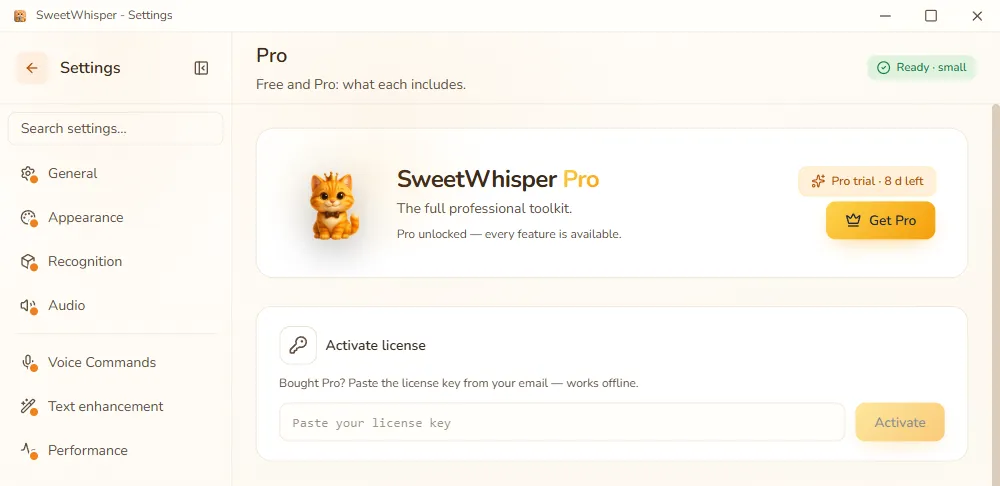
Go to the “Pro” section
Pick Pro in the section list on the left.
Paste the key
Copy the whole key from the email — it starts with
SWLIC1.— and paste it into the activation field. It is a long string; that is normal. Copy the entire line, with no stray spaces.Hit “Activate”
Pro unlocks immediately: AI text processing, task modes, live preview and the rest. No restart needed.
On your phone
The same key unlocks Pro on Android: open Sweet Whisper → Settings →Pro, paste the key into the field and tap Activate. No internet needed here either — the key is verified on the phone itself.
One license, three devices
One purchase covers up to three of your devices, computers and phones alike. Just paste the same key on the next one. The key is verified offline and isn’t tied to an account, so reinstalling Windows, swapping a drive or getting a new phone breaks nothing: activate it again the same way.
If something goes wrong
- No email. Check your spam folder and search for SweetWhisper. Still nothing? Write to us and we will resend it.
- “Invalid key”. Usually only part of the string was copied. Copy the key in full, from
SWLIC1.to the very end, with no line breaks. - Pro did not unlock. Email us — we will sort it out.
Any question about your purchase: hello@sweetwhisper.app