WINDOWS · V0.9.25

100% local · no subscriptions

Speak.The text writes itself.

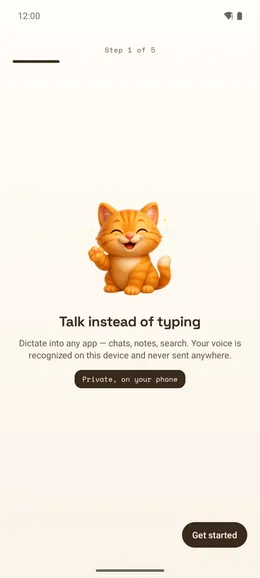
SweetWhisper turns voice into text 3–4× faster than you type: hold a key, speak — and the finished text appears in Telegram, Word, email or code. Everything is recognized on your PC, no internet needed.

  • Works offline
  • Fast on any PC
  • 90+ languages
  • Free — no limits
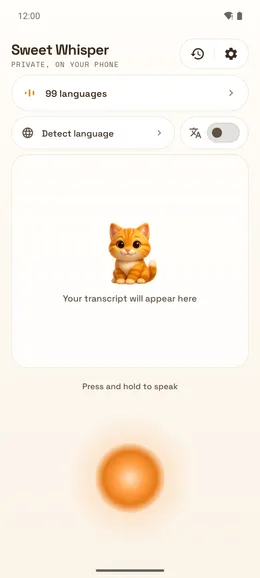
SweetWhisper mascot cat at a microphone — offline voice dictation for Windows
90+recognition languages
100%audio stays on your PC

scroll ↓

90+recognition languages
3local engines
0bytes sent to the cloud
free dictation — no limits

Features

Voice typing — 3× faster than the keyboard

Speech is ~120 words per minute, typing is ~40. Dictate text into messengers, email, documents and code.

01 / 06

Text lands straight in your app

Nothing to copy: recognized text is automatically inserted into the active window — Telegram, Word, your browser or IDE.

Telegram

Will the contract be ready by tomorrow?

Yes, I’ll send the final version by noon — just two clauses left to align with legal.

dictated in 4 seconds
02 / 06

Accurate in 90+ languages

The best recognition models inside, including GigaAM purpose-built for Russian speech. Everything downloads in one click, nothing to configure.

WhisperNVIDIA ParakeetGigaAM

«please move the meeting to three p m»

Please move the meeting to 3:00 PM.

Whisper · 90+ languages

03 / 06

Pro

AI cleans up your text (Pro)

Removes “umm” and filler words, fixes punctuation, formats and translates. Runs right on your PC — no internet required.

You said

“uh in the supply agreement we need to change the payment term from thirty days to forty five and also add a clause about a zero point one percent daily penalty”

Pro wrote

Supply agreement: change the payment term from 30 to 45 days; add a clause on a 0.1% daily penalty.

04 / 06

Fast on any computer

With a graphics card recognition takes a fraction of a second; without one it runs on the CPU. NVIDIA, AMD or Intel — any Windows 10/11 laptop works.

VulkanDirectMLCUDA

05 / 06

Voice commands

Say “Kitty, undo” — and the app undoes your last action. Fully customizable: key chords, launching programs.

06 / 06

History and search

Every transcription is stored locally: search, copy, see your stats. Nothing is sent to the cloud.

How it works

Three steps to finished text

  1. 1

    Hold the key

    One configurable key: hold it — speak, release — done. The floating bar stays on top, always at hand.

  2. 2

    Speak

    Voice activity detection trims the silence. The model transcribes right on your GPU.

  3. 3

    Text is in place

    The result is instantly inserted into the active input field — in any Windows app.

Interface

One window instead of a maze of settings

Model, speed, hotkeys and text insertion — all in one place. The app checks your microphone, model and hotkey on its own and tells you when everything is ready for dictation.

↗ Works offlineGPU · Vulkan / DirectML / CUDA
  • Dictation readiness indicator
  • Model catalog in one click
  • Dark and light themes
  • History and stats — local only
SweetWhisper · Privacy

Privacy

Your voice never leaves your computer

SweetWhisper is built local-first: audio is recorded, transcribed and discarded on your PC. No accounts, no telemetry, no “analytics to improve the service”. Cloud engines (OpenAI, Yandex) are strictly opt-in, and their keys live in the protected Windows credential store.

  • Fully offline recognition
  • No accounts, no telemetry
  • History is stored locally only
  • Cloud-service keys live in the protected Windows store

Comparison

Why not built-in dictation or the cloud?

ComparisonSweetWhisperWindows dictation (Win+H)Cloud services
Works offline✗ for most languages
Audio stays on your computer
Russian speech qualityGigaAM — built for Russianaveragegood
AI text cleanup✓ Pro, on-devicein the cloud
Paymentfree · Pro by donationfreemonthly subscription

If Win+H is enough and the cloud doesn’t bother you — use it. SweetWhisper is for people who need accuracy, privacy and offline work.

Pricing

Almost everything is free

SweetWhisper is freemium: full dictation is available right away, forever. Pro is a one-time donation that supports development — with AI bonuses as a thank-you.

Free

Free

  • Unlimited local dictation
  • Accurate recognition: Whisper, Parakeet, GigaAM
  • Fast: on a graphics card or on the CPU
  • Auto-insert into any application
  • Voice commands
  • Searchable history
Download

Pro

1 490 ₽

one-time donation · forever

As a thank-you for your support:

  • AI tidies your text: cleanup, punctuation, formatting, translation
  • Processed on-device — your text never leaves the PC
  • Cloud AI — optional, only if you turn it on
  • Task modes: writing, documents, notes, code
  • Extra color themes
  • Meeting transcription (soon)
Notify me about Pro

Free vs Pro in detail

Free vs Pro in detailFreePro
Unlimited local dictation
All recognition models and GPU speed
Voice commands, history, stats
AI cleanup, punctuation and formatting
Task modes (writing, documents, code)
Local AI — text never leaves the PC
Cloud AI of your choice
Meeting transcriptionsoon

FAQ

Frequently asked questions

Does SweetWhisper work without internet?

Yes. Speech recognition runs locally on your computer — you only need internet once, to download a model. Cloud engines (OpenAI, Yandex SpeechKit) are optional; the default is fully offline.

Which languages are supported?

Whisper recognizes 90+ languages including English and Russian. For Russian there is a dedicated GigaAM model with excellent accuracy. The app UI is available in English and Russian.

How accurate is the recognition?

Whisper large-v3-turbo handles everyday speech, terms and mixed-language sentences very well, and for Russian the dedicated GigaAM model (trained on thousands of hours of Russian speech) is noticeably more accurate than universal models. Punctuation and capitalization are added automatically.

What are the system requirements? Will it slow my PC down?

Windows 10/11, a graphics card is optional: with one recognition is faster (any NVIDIA, AMD or Intel works), without one everything runs on the CPU. Recognition only runs while you dictate — the rest of the time the app just waits for the hotkey. Models take 500 MB – 3 GB of disk space.

Does Pro send my text to the cloud?

No — unless you turn that on yourself. By default Pro uses the built-in local AI: text is processed on your PC and never leaves it, which is safe even for confidential documents. Cloud models are connected only manually, with your own key.

Why is it better than built-in Windows dictation (Win+H)?

Built-in dictation sends your voice to the Microsoft cloud and needs internet for most languages. SweetWhisper recognizes locally and offline, is more accurate for Russian (GigaAM), inserts text into any app and can polish the result with AI (Pro).

Is it a subscription? How much does it cost?

SweetWhisper is freemium: all core dictation is free, unlimited, forever. Pro is a one-time donation that supports development — AI text processing and other bonuses unlock as a thank-you. No subscriptions.

Where do my recordings go?

Nowhere. Audio is processed on your PC and never leaves it. Transcription history lives in a local database you can clear at any time.

Why is SweetWhisper better than cloud dictation services?

Speed (no network latency), privacy (audio never leaves your machine), cost (no per-minute fees) and it works anywhere — even on a plane.

Does it run on Linux?

Linux support is in development: core functionality already builds and runs, a full release comes later.

Try SweetWhisper for free

Installer or portable build — no sign-up, no accounts.

Release in the works. Leave a contact — we’ll send you the link first.

Windows 10/11 · graphics card optional